|
General Questions What is the free upgrade service?
Are all your products free for download?
How long is the trial period?
I can not download your software at foryoursoft.com, is there any other place I can download it?
Register and License What is the registration procedure?
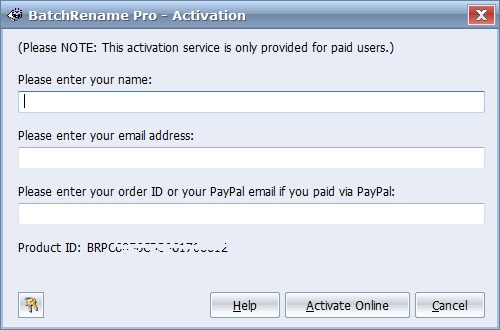
Where can I find the Product ID? You will find the Product ID on the top of register dialog. Please click the "Buy and Register" from the help menu of our product to show the register dialog. I have received my registration code. But when I enter it, I get a message "Invalid Registration Code". Why? Maybe it is the confusion with the letter and the digit in the registration code. The best way to input the registration code is to copy and paste it to registration dialog. During the use of the product, it says "This copy is unauthorized, please contact us ...". That is because you entered an unauthorized registration code from some "cracking" website. After you purchase the product, we will send you the authorized registration code to solve this problem. Why my product ID changed on my computer, and what should I do? Order & Payment Can I pay by check, wire, or PO other than credit card? RegNow and RegSoft do offer ordering options in addition to payment online with a credit card. The offline ordering options we offer include by phone, mail, fax, wire, and PO (if applicable). Please note that utilizing one of these offline ordering options you will be required to pay an additional processing fee. Can I pay by PayPal? Yes, we accept payment via paypal. What is the difference in the services of RegNow, RegSoft, and PayPal? RegSoft can provide you CD copy of our products.
Meanwhile, you may select to pay by Credit Card (Visa, Master Card,
American Express, Discover/Novus, Eurocard, Eurocheques), FAX
Ordering, Postal Mail, Phone or Purchase Order. What is 15 days money back guarantee ? If you purchase our product using PayPal, we
will provide you a 15 days Money Back Guarantee for
any reason. On the other hand, if you purchase our product via
other agents, we cannot offer you this Guarantee. However, all
our products have a more than 15 days free trial period, so
why not try before buy. BatchRename I had 10 files which had already a name and I want to rename them like that: 01 - xxxxx (where xxxxx is the file name), 02 - yyyyy, 03 - zzzzz, and so on. Can I apply it in BatchRename?
How can I add a specified word which is not listed in the rule builder combo box?
HyperCalendar How much can HyperCalendar hold? Or can the file grow as big as I decide to let it?
I have installed HyperCalendar but I can't get the alarm working at the set time.
How can I check to see if I am running the current version of HyperCalendar? I love the calendar. Too bad more people don't know about it. It has been a great help here in the office.
|
 Back
to Top
Back
to Top